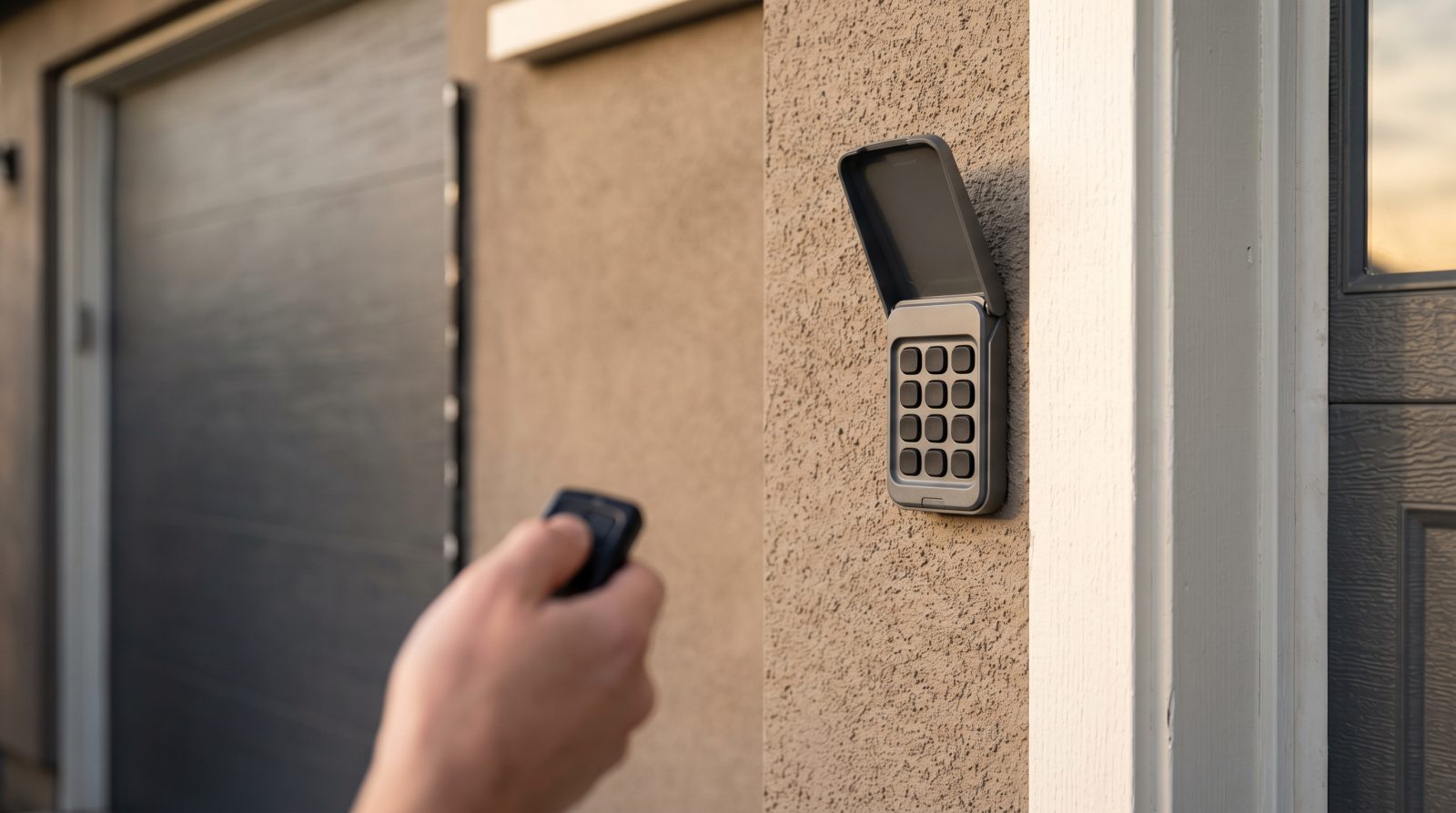
How garage door remotes and keypads actually work
Every modern garage door opener is really two systems working together: a motor unit that lifts the door, and a radio receiver that listens for a coded signal. Your handheld remote, your wall-mounted keypad, and any in-car HomeLink button are simply transmitters that send that coded signal on a specific radio frequency. When you press a button, the transmitter broadcasts a code; the receiver in the opener checks whether the code matches what it expects, and if it does, the door moves. Understanding this transmitter-and-receiver relationship is the key to diagnosing almost every remote or keypad failure, because the problem is almost always in one of three places: the transmitter, the receiver, or the radio environment between them.
Older openers used fixed-code systems, where the remote sent the exact same code every time, often set by tiny DIP switches inside the remote and the opener. Since the late 1990s, most major brands shifted to rolling-code (sometimes called code-hopping) technology, where the code changes after every press to prevent code theft. This matters enormously for repair and replacement decisions: a fixed-code system is less secure and increasingly hard to find compatible accessories for, while rolling-code systems are far safer but require proper reprogramming rather than simple switch-matching. Keypads work the same way as remotes, except you enter a PIN that the keypad converts into the transmitted code, which is why a keypad can fail either electronically or simply because the PIN was lost or changed.
Knowing which generation of system you have tells you a great deal before you ever pick up a screwdriver. If your opener predates rolling code, every new remote and keypad you buy will be a compromise, and the security gap alone is a legitimate reason to consider modernizing. If you have a rolling-code system, most remote and keypad issues are genuinely repairable with batteries, reprogramming, or an inexpensive replacement transmitter.
- Transmitter: the remote, keypad, or in-car button that sends the coded radio signal
- Receiver: the radio board inside the opener motor unit that listens for a matching code
- Frequency: the radio band the system uses, which can suffer interference from LEDs, Wi-Fi gear, and nearby devices
- Code type: fixed-code (older, less secure) versus rolling-code (modern, changes every press)
- Keypad PIN: a code you set that the keypad translates into the same transmitted signal a remote uses
Diagnosing a remote or keypad that stopped working
Before assuming the worst, work through the failure in order from cheapest to most involved. The single most common cause of a dead remote or keypad is a weak or dead battery, and it is also the most overlooked because batteries often fade gradually rather than failing all at once. A remote that works only from a few feet away, or a keypad with dim or unresponsive buttons, is usually telling you the battery is nearly spent. Replace it with a fresh battery of the exact type printed inside the case before doing anything else, and for outdoor keypads, check for moisture or corrosion on the contacts, which is a leading cause of failure in humid and cold-climate regions alike.
If a fresh battery does not solve it, isolate where the fault lives. Try a second remote or the wall button: if the wall button opens the door but no remotes or keypads do, the opener and motor are fine and the problem is in the transmitters or the receiver's antenna. If even the wall button is intermittent, the issue may be in the opener's logic board rather than the remotes. Watch the small antenna wire that hangs from the back of most opener units; if it is broken, coiled up, or tucked against metal, range and reliability drop sharply. Radio interference is a real and growing problem too, especially since many cheap LED bulbs and smart-home devices emit noise on the same bands openers use, so a remote that mysteriously lost range right after a bulb swap is a classic case.
Keypads add a few unique failure points. A keypad that beeps and lights up but will not open the door usually has a programming or PIN problem rather than a hardware fault, and reprogramming will fix it. A keypad that shows nothing at all when pressed has a battery, wiring, or weather-damage problem. Because keypads live outside, they take the worst of the weather, and in regions with hard freezes, intense sun, or salt air, a keypad that is several years old may simply be worn out. At that point a replacement keypad is inexpensive and far more reliable than trying to revive a corroded unit.
- Start with a fresh battery of the exact specified type, including for outdoor keypads
- Test the hardwired wall button to confirm the opener and motor themselves still work
- Inspect the opener's hanging antenna wire for breaks, coiling, or contact with metal
- Suspect interference if range dropped suddenly after adding LED bulbs or smart devices
- For keypads, separate a programming/PIN issue (lights up, no open) from a hardware/weather failure (no response at all)
- Check outdoor keypad contacts for moisture and corrosion, a common cold- and humid-climate problem
Reprogramming remotes and resetting keypad PINs
Reprogramming is the step that resolves a large share of remote and keypad complaints, and it is needed in several everyday situations: after a battery change on some models, when adding a new remote or keypad, when a remote has lost its sync with the opener, or when you want to wipe a code for security reasons. The general process is similar across most modern openers, though the exact button names and sequences vary by brand and model, so the smartest move before you start is to find your opener's brand and model number on the label of the motor unit and follow that specific procedure. The steps below describe the typical flow so you know what to expect.
To program a remote, you usually press and release a learn or program button on the opener's motor unit, which puts the receiver into a short listening window, often indicated by an LED. Within that window you press the button on the remote you want to pair, and the opener confirms by clicking, flashing its lights, or beeping. Keypads follow a parallel process: you enter your chosen PIN on the keypad, press enter or a brand-specific key, then trigger the learn button on the opener so it accepts the new code. If you have moved into a home and do not know who else has working remotes, the most important security step is to erase all existing codes, which is typically done by holding the learn button until the indicator light goes out, then reprogramming only the remotes and keypads you control.
A few realistic cautions are worth knowing. Some openers limit how many remotes and keypads can be paired at once, so if a new remote will not program, you may have hit that limit and need to clear old codes first. Rolling-code systems will not accept a remote from an incompatible generation no matter how many times you try, which is the point at which compatibility, not technique, is the real issue. And if you have erased and reprogrammed everything and a particular remote still will not hold a connection, that remote is likely failing internally and should be replaced rather than fought with.
- Find the opener's brand and model on the motor-unit label and follow that exact sequence
- Programming a remote: press the opener's learn button, then press the remote within the listening window
- Programming a keypad: set your PIN, then trigger the opener's learn button to accept it
- New-home security move: erase all codes (hold learn until the LED clears), then re-pair only your own devices
- If a new remote refuses to program, you may have hit the opener's device limit, so clear old codes first
- If reprogramming repeatedly fails, suspect incompatibility or a failing transmitter rather than user error
When to repair, when to replace, and when it points to a new opener or door
Because our focus is replacement, we want to be straight with you about where the line sits. Most remote and keypad problems are worth fixing: a battery, a reprogramming, or a replacement transmitter is inexpensive and quick, and there is no reason to spend more when a small fix restores full function. Replacing the remote or keypad itself, rather than the opener, is the right call when the opener is reasonably modern and reliable but the handheld or keypad is lost, cracked, water-damaged, or simply worn out. Universal remotes and keypads exist for exactly this purpose and can be a smart, economical fix for a sound opener.
The calculus changes when the access problem is really a symptom of an aging system. If your opener uses fixed-code technology, every replacement accessory carries a security compromise, and the unit is likely old enough that motor, gears, and safety sensors are also nearing the end of their service life. If you find yourself buying replacement remotes repeatedly, struggling to source compatible parts, or living with an opener that lacks modern safety reversing features, the money is better spent on a new opener with current rolling-code security, smartphone control, and battery backup than on continually patching an obsolete one. A new opener also resets the clock on reliability and brings the convenience features many homeowners now expect.
There is a third scenario that matters most to a replacement-focused homeowner: the remote or keypad failure that arrives at the same time as a tired, dented, poorly insulated, or noisy door. If you are already weighing a new garage door for curb appeal, energy efficiency, or home value, that is the ideal moment to treat access technology as part of the project rather than an afterthought. A new door installation is the natural time to pair a modern, secure opener with fresh remotes and a weather-rated keypad, so your entire system, the door, the motor, and the access controls, is current, secure, and warrantied together. Folding access into a planned replacement almost always costs less and works better than bolting new electronics onto an old door later.
- Repair when: a battery, reprogramming, or inexpensive replacement transmitter restores a sound system
- Replace the remote/keypad when: the opener is modern but the handheld or keypad is lost, cracked, or weather-worn
- Upgrade the opener when: you have fixed-code security, can't source parts, or lack modern safety-reversing features
- Treat it as part of a door project when: access failures coincide with a dented, noisy, drafty, or aging door
- Buying remotes repeatedly is a signal that the underlying system, not the accessory, is the real problem
Modern access options to consider with a new door or opener
If a remote or keypad failure has you thinking about a new opener or a full door replacement, it is worth understanding what modern access technology offers, because the gap between a decade-old system and a current one is significant. Today's openers commonly include smartphone control through a home Wi-Fi connection, letting you open, close, and check the door's status from anywhere, plus alerts if the door is left open. This is genuinely useful for households that worry about whether the garage was closed, and it largely replaces the lost-remote scramble with an app you always have on you.
Keypads have improved too. Modern weather-rated keypads handle temperature swings and moisture far better than older units, which matters in regions with hard winters, coastal salt air, or intense heat. Many systems now support multiple PINs and temporary or time-limited codes, so you can give a dog walker, a contractor, or a delivery a code that works only when you want it to, then revoke it without reprogramming the whole system. Battery backup, now required in some areas and widely available everywhere, keeps the door operable during a power outage, which is a real consideration in storm-prone and rural regions where outages are common.
When you plan a door replacement, ask that access technology be specified as part of the package rather than left for later. A coordinated system means the door, opener, sensors, remotes, and keypad are matched, properly programmed, and covered under aligned warranties from day one. It also means the security questions get answered upfront: rolling-code transmitters, the ability to erase old codes, and the option to integrate with a broader smart-home setup. Treated this way, a frustrating remote or keypad failure becomes the prompt for a meaningful upgrade in security and convenience rather than just another repair. If you are weighing a new door or opener and want to understand your options, request a free quote and get a clear, no-pressure assessment of what your home actually needs.
- Smartphone control: open, close, and monitor door status remotely, with left-open alerts
- Weather-rated keypads: built to survive the freezes, heat, humidity, and salt air of different regions
- Temporary and multiple PINs: time-limited codes for guests, contractors, and deliveries that you can revoke
- Battery backup: keeps the door working during outages, a priority in storm-prone and rural areas
- Coordinated systems: door, opener, sensors, remotes, and keypad matched and warrantied together from day one